![7signal-logomark.svg]](https://www.7signal.com/hubfs/2020-website/global/7signal-logomark.svg)
All organizations have now been migrated to the Unified Login system.
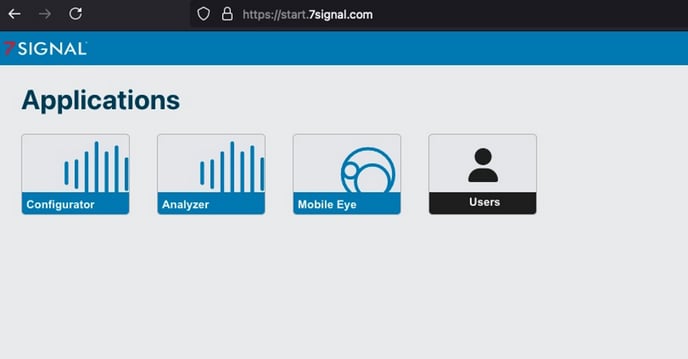
To log into the Unified Dashboard, go to https://start.7signal.com
If you encounter any issues, please reach out to your organization admin. If you’re unsure who your admin is, or if further assistance is needed, open a support case at https://www.7signal.com/request-support.
As an Organization Administrator, you can add, edit, and delete users within your organization through the Unified Login.
To manage users:
- Log into the Unified Dashboard: Go to https://start.7signal.com and click on the Users tile.
- Understanding Roles:
- Org Admin: Can add, edit, and delete users, as well as make configuration changes.
- Configurator: Can make configuration changes.
- Reporter: Has read-only access.
- Add Users: Add new users to the organization.
- Enter email address, Last name, First name, and Role
Important: The email address serves as the username in the system.
If you enter the wrong email address when adding a user, you must delete the user and add them again using the correct email address.
-
- Edit Users: Select the box next to a user's name, then click Edit to make changes.
- Delete Users: Select the box next to the user(s) you wish to remove, then click Delete.
Note: When adding a new user to your organization, a "Welcome" email is not automatically sent. This capability will be added in a future software version.
As the Org Admin, share the relevant instructions based on your organization's authentication method:
For Auth0/Username & Password:
- Go to https://start.7signal.com.
- Click Sign Up.
- Enter your email address and create a new password.
For SSO or SAML:
- Go to https://start.7signal.com.
- Enter your work email address.
- Click Continue.